How to add a card
Point the camera at the card’s barcode or QR code. If it is worn, import it from a photo or type the number yourself. For the most common shops the name, logo and colours are already there.
WollyCard is the free app that keeps your supermarket and shop loyalty cards in one place: scan them once, then show the code on your screen at the till.
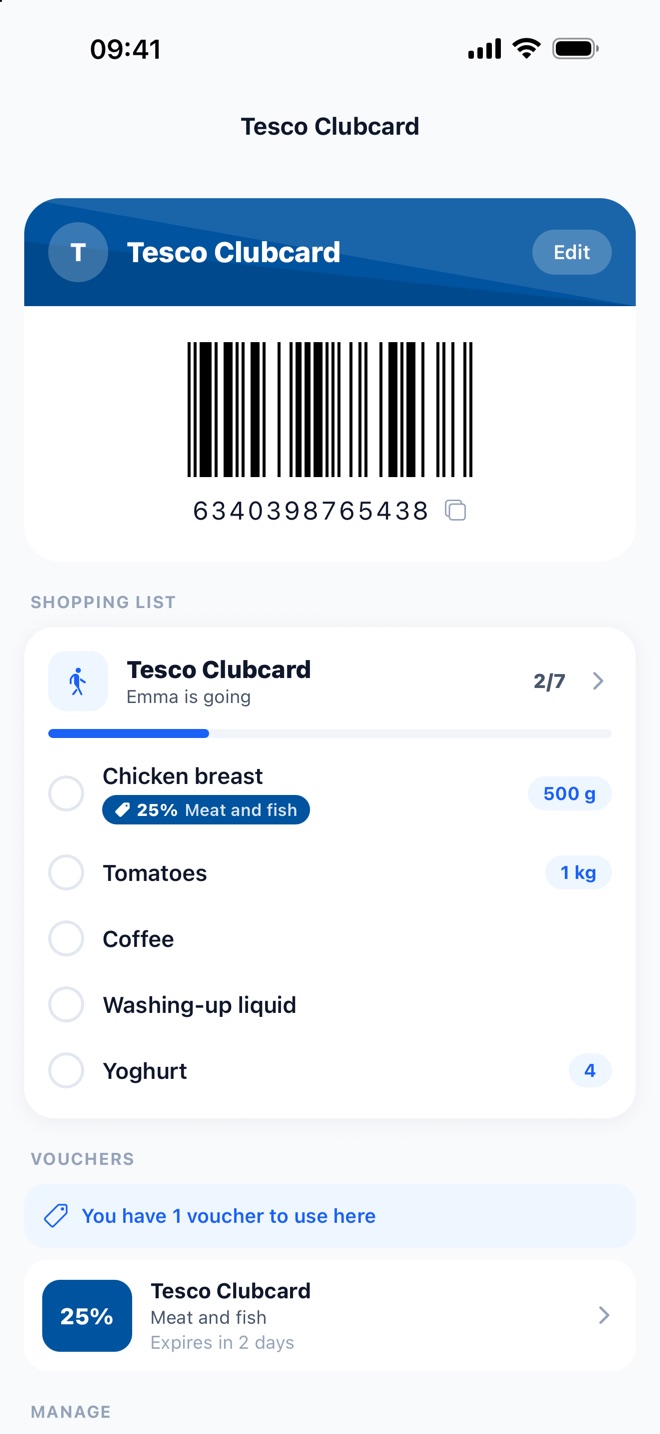
Point the camera at the card’s barcode or QR code. If it is worn, import it from a photo or type the number yourself. For the most common shops the name, logo and colours are already there.
Cards are stored on your phone and open offline. When you open one, the screen goes to full brightness so the scanner reads the code straight away.
Star the cards you use most: they sit on top and, on iPhone, in the home screen widget. Share them with your family and whoever is at the till has them.
Any card with a barcode or QR code: supermarkets, shops, gyms, libraries. If the shop is not in the catalogue you can still add it, under any name you like.
Almost always: the code is large, high-contrast and on a bright screen. A few tills with an old laser scanner struggle: the number is printed under the code, to read out.
Yes: no subscription, no in-app purchases and no ads.
Download WollyCard and take every card with you. Free.